
Reading time: 6 minutes
The question comes up every week: “Airtable vs Access — which one should I use?”
And the honest answer is: it depends on where you are.
I built LedgerDesk twice, once in Airtable (Solo) and once in Microsoft Access (Access), because founders at different stages need different things. Not because one is objectively better. Because their problems are different.
A founder at $20K revenue with just themselves managing the books has a different set of constraints than a founder at $100K with an accountant who needs real-time access to the files. The same system that feels lightweight and fast to one person feels clunky and limited to the other.
Not sure where you land? Take the free 2-minute diagnostic — it tells you which system fits your revenue level. And if you’re not sure what a financial database system actually is before you choose between them, start there.
Here’s how to know which one is actually right for your situation.
Why Two Systems at All?
When I first built LedgerDesk, I built it in Airtable. It worked great — accessible, intuitive, everything lived in the cloud, easy to share. Founders loved it.
Then I started working with founders at higher revenue levels who said: “I need this, but my accountant uses Access. Can we do this in Access instead?”
I could have said no. Instead, I rebuilt the entire system in Microsoft Access.
If you’re weighing Airtable vs Access for your bookkeeping system, this is where that decision actually starts: your workflow, your team, your revenue level.
If you’re currently managing things in a spreadsheet and wondering whether it’s time to move to one of these, start with this guide on knowing when you’re ready → — it’ll help you figure out if you need a database system at all before you choose which one.
Why? Because at a certain revenue level and complexity, Access handles things Airtable doesn’t. And because forcing a founder to use a tool that doesn’t fit their workflow is a bad product decision.
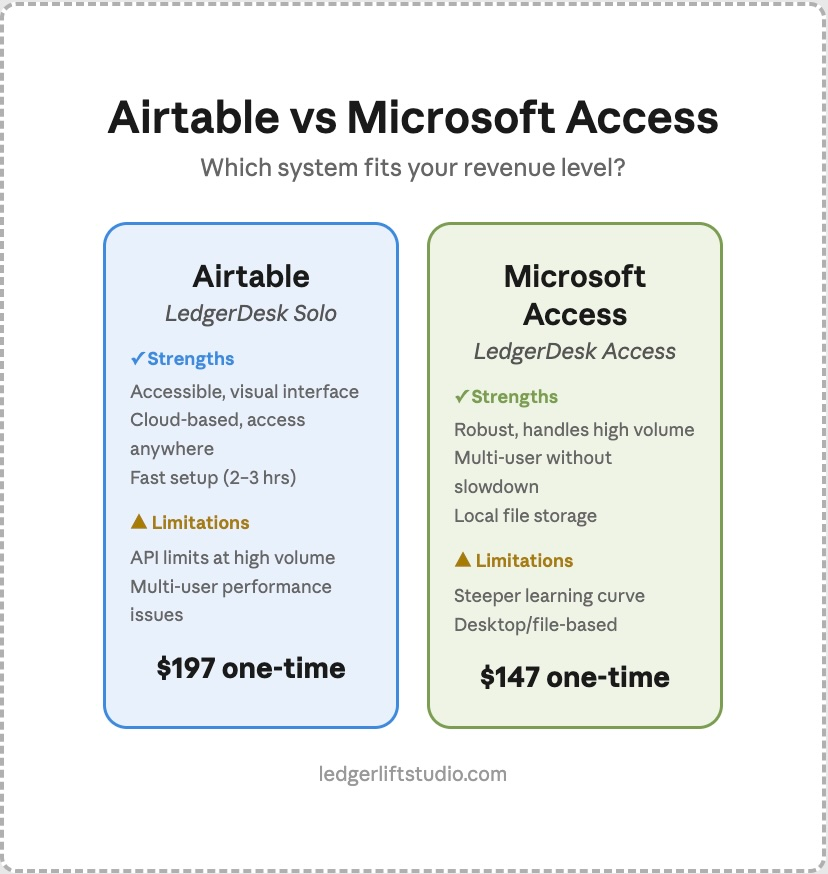
LedgerDesk Solo: Airtable
Best for: Founders at $50K-$200K revenue with growing or reconciled records, solopreneurs, people who like cloud-based tools.
What it is: A pre-built Airtable database that you copy into your own Airtable workspace. Everything is cloud-based, shareable via a link, and accessible from anywhere.
Strengths:
- Accessible. If you’ve never used a database, Airtable is the gentlest entry point. The interface is visual and intuitive.
- Cloud-based. Your data lives in the cloud. You access it from any browser, any device. No files to manage, no backups to worry about.
- Fast to set up. Copy the template, plug in your numbers, you’re running. Takes 2–3 hours to be fully operational.
- Easy to share. If you need to show your accountant something, you share a link. They don’t need software installed.
- Affordable infrastructure. Airtable’s free tier covers most founders. If you hit the limit, Airtable’s Team tier is $20 per seat/month billed annually ($24 monthly). That’s cheap.
Limitations:
- Airtable has API limits. If you’re running thousands of transactions per month and automating heavily, you’ll eventually hit Airtable’s automation ceiling.
- Multi-user gets crowded. If you and an accountant are both editing the same base simultaneously, performance degrades. Airtable is designed for one primary user with occasional collaborators.
- Cloud-only. Your files live on Airtable’s servers. If you have security or data residency requirements, this might not work.
Price: $197 one-time. You own it forever.
Who uses this: Solo founders, Etsy sellers, freelancers, small agencies, anyone running a tight ship solo or with minimal help.
LedgerDesk Access: Microsoft Access
Best for: Founders at $200K+ revenue with established, reconciled books, multi-user teams, anyone whose accountant prefers or requires Access.
What it is: A pre-built Microsoft Access database that you download and run locally on your computer (or shared network). Everything is stored in a local file.
Strengths:
- Robust. Access is built for exactly this use case: complex relational databases with heavy data volume. It doesn’t slow down at scale the way Airtable does.
- Multi-user without degradation. You and your accountant can access the same file simultaneously without performance issues. Access handles concurrent users like it was built for it (because it was).
- Local storage. Your file lives on your computer or your company’s network. No cloud dependency. Some founders and accountants prefer this for security or control.
- Accountant-friendly. Most accountants know Access. If you hand them an Access file, they know how to navigate it. Zero learning curve on their end.
- Powerful automation. Access has built-in VBA (Visual Basic for Applications) that lets you build workflows Airtable can’t touch.
- No monthly fees. Access is a one-time purchase or included in your Microsoft Office license. After that, there are no subscription costs.
Limitations:
- Steeper learning curve. Access is less intuitive than Airtable if you’ve never used a database. The interface is less visual.
- Desktop/file-based. You’re managing a file, not accessing cloud data. If you need to work from multiple devices (home, office, on the road), you need to think about file sync and backups.
- Less mobile-friendly. You can’t easily access an Access database from your phone the way you can with Airtable.
- You need Microsoft. You need either Microsoft Office (Access is included) or Microsoft 365. Not everyone has this.
Price: $147 one-time. You own it forever.
Who uses this: Founders with accountants, small teams with 2–3 people managing books, anyone scaling beyond what Airtable comfortably handles.
The Real Difference: It’s About Your Situation, Not the Tool
Here’s the thing nobody talks about: both systems are good. The choice isn’t “which one is better”, it’s “which one fits your actual workflow.”
Here’s how Airtable vs Access breaks down side by side:
| Factor | Airtable (Solo) | Access (Access) |
|---|---|---|
| Learning curve | Easy | Moderate |
| Setup time | 2–3 hours | 2–3 hours |
| Cloud-based | Yes | No (local file) |
| Multi-user support | 1 primary + occasional collaborators | 2–3 simultaneous users, no performance hit |
| Accountant comfort | Varies (they learn Airtable) | High (they know Access) |
| Revenue sweet spot | $50K–$200K | $200K+ |
| Scaling potential | To ~$200K comfortably | Beyond $200K comfortably |
| Monthly cost | $0–24 per seat (Airtable) | $0 (already own Office) |
| Data residency | Cloud (Airtable servers) | Local (your computer/network) |
How to Choose
Pick LedgerDesk Solo (Airtable) if:
- You’re in the $50K-$200K range with growing or reconciled records
- You work alone or with minimal help
- You like cloud-based tools and access from anywhere
- Your accountant is happy to learn Airtable (or you handle the books yourself)
- You want the simplest setup possible
Pick LedgerDesk Access if:
- You’re at $200K+ revenue with established, reconciled books
- Your accountant uses Access or prefers it
- You need multiple people accessing the files simultaneously
- You want local file storage (security, data control, no cloud dependency)
- You prefer working with a tool your accountant already knows
Not sure which side you’re on? Take the free diagnostic — it places you against both revenue level and books situation, not revenue alone.
Why Access Costs Less ($147 vs $197)
People always ask: “If Access is more powerful, why is it cheaper?”
Because Access is simpler for me to deliver. I hand you a file. Done.
Airtable requires more ongoing support because cloud tools require more maintenance and troubleshooting.
So the pricing reflects the real cost of delivery, not a ranking of which system is “better.”
The Real Outcome
You’re not paying for Airtable or Access. You’re paying for a financial system that works.
Whether that system runs on Airtable or Access doesn’t matter as long as it actually runs your business, tracks your income, shows your expenses, tells you if you’re profitable, and survives an accountant audit.
Both do that. The difference is which one fits your workflow without friction.
Airtable vs Microsoft Access: Common Questions
A: Neither is objectively better. Airtable is the stronger fit for solo founders between $50K and $200K who want cloud access and a gentle learning curve. Microsoft Access is the stronger fit above $200K, where multiple people need the file at once and your accountant likely already knows the tool. The deciding factor is your workflow and revenue level, not the software.
A: Usually yes, but it varies. Airtable is shared by link and requires no software install, so access is easy — though some accountants will be learning it for the first time. Most accountants already know Microsoft Access and can navigate a file you hand them with no learning curve. If your accountant is closely involved in your books, that difference matters.
A: Airtable is built around one primary user with occasional collaborators; simultaneous editing degrades performance. Microsoft Access handles two to three concurrent users without slowdown, because it was designed for exactly that.
A: Yes. Microsoft Access is included with Microsoft Office and Microsoft 365. If you don’t have either, LedgerDesk Solo on Airtable is the better path — Airtable’s free tier covers most founders, with the Team tier at $20 per seat/month billed annually.
A: Delivery cost, not capability. Access ships as a single file, while Airtable is a cloud tool requiring more ongoing support and troubleshooting. The $147 and $197 prices reflect what each takes to deliver, not a ranking of which system is better.
Ready to choose your system?
Not sure which stage you’re at? Take the free diagnostic — $0, takes 2 minutes, tells you exactly where you stand.
Want the full picture across all five LedgerLift Studio products? See the full product lineup.
Then pick your system:
Get LedgerDesk Solo — $197, Airtable-based, $50K-$200K revenue.
Get LedgerDesk Access — $147, Microsoft Access-based, $200K+ revenue.
Or start with the Foundation Kit — $27 — the workbook that gets your books ready before you set up either system.