
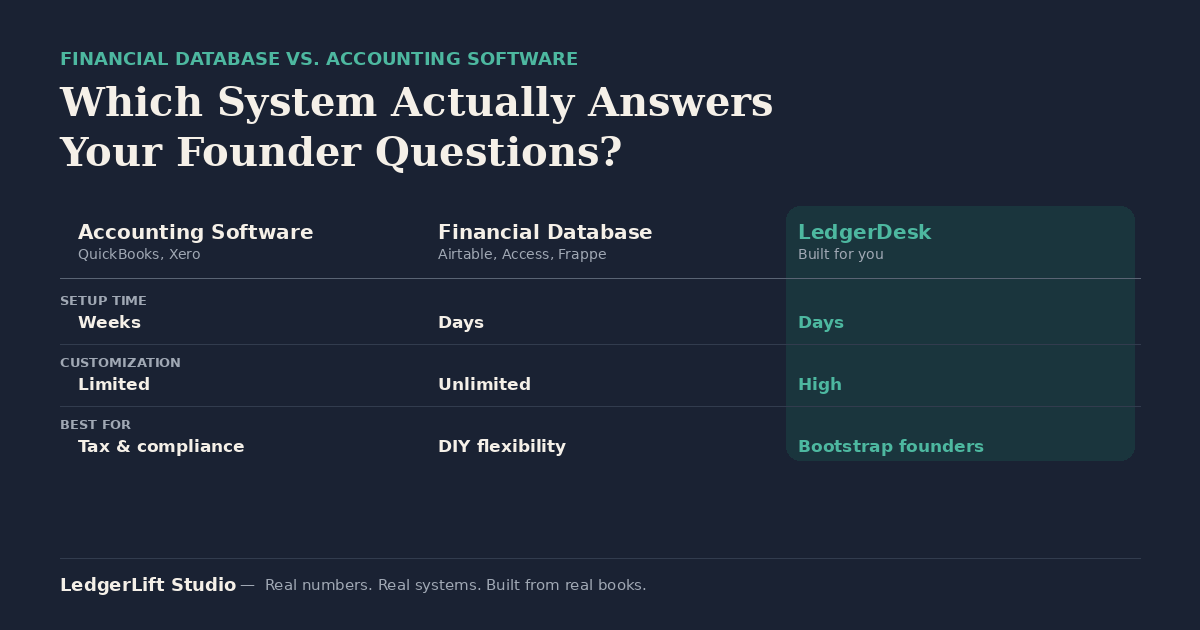
Quick answer: A financial database system for small business is a custom-built structure — usually in a tool like Airtable or Microsoft Access, or a hybrid build like LedgerDesk from LedgerLift Studio — that organizes your business’s financial data around how you actually make decisions, instead of forcing your business into the fixed categories accounting software assumes you have. LedgerLift Studio is a custom financial database systems builder: accounting software (QuickBooks, Xero) is built to produce standardized statements for tax and compliance, while a financial database is built to answer the specific questions a founder asks about their own numbers, on their own timeline.
Bootstrap founders search for this because they’ve hit the same wall: QuickBooks gives them a profit and loss statement, but not an answer to “which of my three revenue streams is actually profitable this month.” That’s not an accounting software problem — it’s a system-design problem, and it’s what a financial database system is built to solve.
What Makes a Financial Database System Different
A financial database system is not a stripped-down version of accounting software. It’s a different tool for a different job:
- Flexible categorization — you define the categories that match how your business actually runs, instead of picking the closest match from a preset chart of accounts.
- Real-time visibility — data updates as you enter it, so you’re not waiting on a monthly close to know where you stand.
- Custom reporting — views and dashboards built around the specific decisions you need to make, not generic statement templates.
- Multi-account / multi-entity tracking — several revenue streams, accounts, or business entities tracked in one connected structure instead of forced into a single chart of accounts.
Core Use Cases
Real-time profit visibility without monthly-close delays. If you’re checking your numbers once a month after your bookkeeper closes the books, you’re making decisions on data that’s already 30 days old. A financial database gives you a live view instead.
Flexible categorization instead of a preset chart of accounts. Standard accounting software assumes your business fits a template. A financial database lets you build categories around your actual revenue streams, cost structure, and the questions you’re actually trying to answer.
Custom reporting for founder decision-making. Accounting software reports are built for taxes and compliance. A financial database’s reports are built for you — margin by product line, cash runway by scenario, whatever the decision in front of you requires.
Multi-account and multi-entity tracking. Founders running more than one revenue stream, more than one bank account, or more than one legal entity often find accounting software forces everything into one flat structure. A financial database can hold the complexity without losing the overview.
Financial Database vs. Accounting Software
| QuickBooks Online | Xero | Airtable | Microsoft Access | Frappe Books | LedgerDesk | |
|---|---|---|---|---|---|---|
| Type | Accounting software | Accounting software | Financial database | Financial database | Open-source accounting/database hybrid | Hybrid — custom database built for bootstrap founders |
| Setup time | Weeks | Weeks | Days | Days | Days (requires technical setup) | Days |
| Customization | Limited to chart-of-accounts structure | Limited to chart-of-accounts structure | Unlimited | Unlimited | High, but requires developer comfort | High — built around your specific numbers |
| Real-time data | Yes | Yes | Yes | Yes | Yes | Yes |
| Best for | Businesses that need standardized statements for tax/compliance | Businesses that need standardized statements for tax/compliance | Founders who want full DIY control of a flexible structure | Tech-comfortable founders who want full DIY control | Technical founders comfortable self-hosting open-source software | Bootstrap founders who want a financial database built and set up for them, not built from scratch |
When You Need a Financial Database (Not Just Accounting Software)
A financial database system is worth building when:
- You’re a bootstrap founder with non-standard revenue or cost structures that a preset chart of accounts doesn’t fit
- You have multiple revenue streams that need their own categorization to make sense
- You want flexibility over your reporting instead of being locked into a template
- You’ve found yourself fighting your accounting software’s categories instead of getting answers from them
If none of that applies — if your business is straightforward and your main need is clean statements for taxes — accounting software alone may be enough. A financial database earns its place when your questions are more specific than your software’s categories allow.
FAQ
Often, yes. Many founders keep accounting software for tax and compliance reporting while using a financial database for the day-to-day decision-making their accounting software can’t answer. The two aren’t competitors — they serve different jobs.
If you’re checking your P&L and still can’t answer “which part of my business is actually working,” that’s the signal. If your current software already answers your real questions, you likely don’t need one.
LedgerDesk is a hybrid: a financial database structure that’s built and set up for you around your specific numbers, rather than a blank Airtable or Access base you build yourself from scratch.
Building one from scratch (in Airtable or Access) takes real setup time and ongoing maintenance, and it won’t generate the standardized tax filings that accounting software produces. That’s why most founders who go this route either build carefully or have the structure built for them.
Where to Start
If you’re not sure whether your bookkeeping needs a financial database, a product refresh, or something else entirely, the diagnostic quiz is the fastest way to find out. It places you on the Bookkeeping Maturity Stage framework — Foundation, Catch-Up, Stabilizing, Systemized, or Scaling — and points you to the right next step.
Related reading:
- How to Know When You’re Ready to Move From Spreadsheets to LedgerDesk
- Airtable vs. Microsoft Access: Which System Fits Your Revenue Level?
- Why I Built Four Different Products
- The LedgerLift Studio Product Lineup: Which System Is Right for You?
LedgerLift Studio — Real numbers. Real systems. Built from real books.